What is Flexgate Issue with MacBook Pro Displays? Causes, Symptoms, and Solutions
Introduction to Flexgate
The Flexgate issue has been a significant concern for many MacBook Pro users. This problem primarily affects the display and is most commonly seen in models manufactured between 2016 and 2017. At iFixApple, we understand the frustration this issue can cause, and we are committed to providing you with all the information you need to understand, diagnose, and fix this problem.
What is Flexgate?
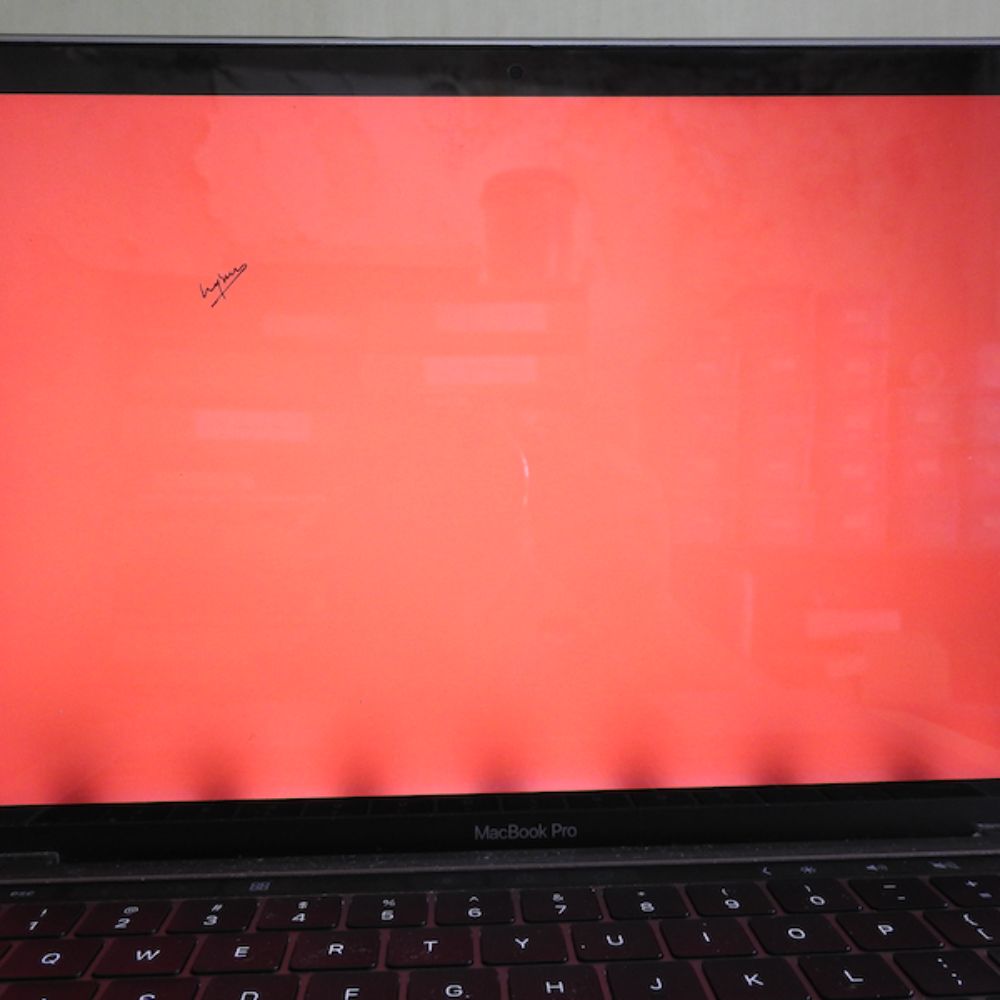
Flexgate refers to a design flaw in certain MacBook Pro models where the flexible ribbon cable that connects the display to the logic board wears out over time. This cable is essential for transmitting video signals to the display. Due to its placement and the opening and closing motion of the laptop, the cable can become stressed and eventually fail.
Symptoms of Flexgate

Identifying Flexgate early can save you time and money. Here are the common symptoms to watch for:
- Stage Light Effect: A distinctive backlight issue where the bottom of the screen appears unevenly lit, resembling a stage spotlight.
- Display Flickering: The screen may flicker or show horizontal lines when the display is moved.
- Blank Screen: In severe cases, the display may go completely black when the screen is opened beyond a certain angle.
- Intermittent Display Issues: The display might work perfectly when the lid is partially open but fails when fully opened.
Affected MacBook Pro Models
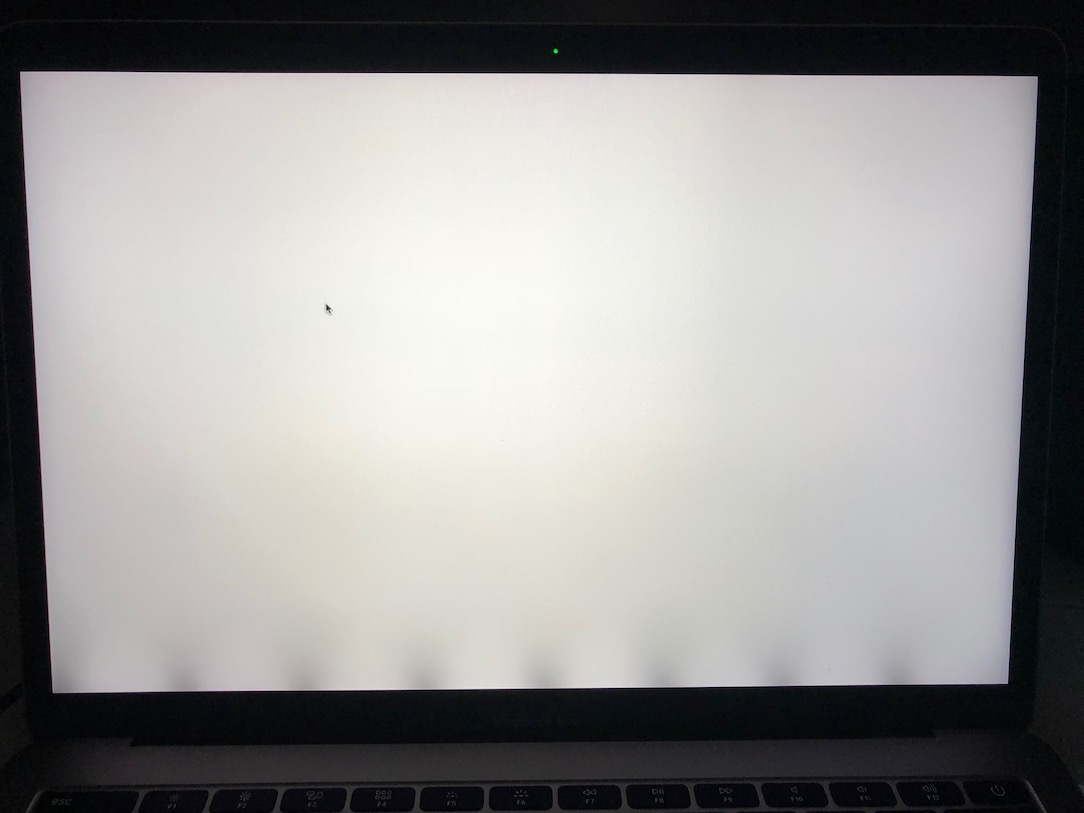
The Flexgate issue predominantly affects the following MacBook Pro models:
- MacBook Pro (13-inch, 2016, Four Thunderbolt 3 Ports)
- MacBook Pro (13-inch, 2016, Two Thunderbolt 3 Ports)
- MacBook Pro (15-inch, 2016)
- MacBook Pro (13-inch, 2017, Four Thunderbolt 3 Ports)
- MacBook Pro (13-inch, 2017, Two Thunderbolt 3 Ports)
- MacBook Pro (15-inch, 2017)
Causes of Flexgate
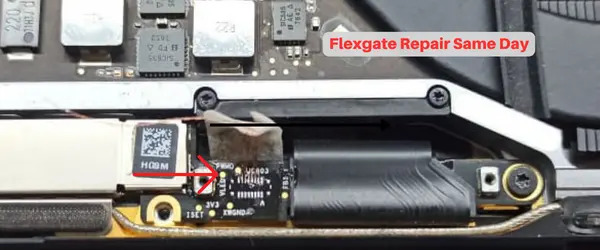
The primary cause of Flexgate is the placement and length of the flex cable:
- Design Flaw: The flex cable is slightly too short, which means it gets strained every time the laptop lid is opened or closed.
- Repeated Motion: Continuous opening and closing of the lid over time cause wear and tear on the flex cable.
- Heat Exposure: Heat generated from the device can exacerbate the wear on the cable.
Diagnosing Flexgate
Diagnosing Flexgate requires a few simple steps:
- Open the Lid: Gradually open the MacBook Pro lid and observe the display.
- Check for Symptoms: Look for any stage light effect, flickering, or complete display blackout.
- Test Different Angles: Open the lid at different angles to see if the symptoms change or improve.
Fixing Flexgate: Your Options
At iFixApple, we offer several solutions to address Flexgate:
Apple Repair Program
Apple has acknowledged the issue and provides free repairs for affected models. If your MacBook Pro is eligible, this is often the best route:
- Apple Authorized Service Providers: Visit an Apple Store or an authorized service provider to have the display replaced free of charge.
Professional Repair Services
If your MacBook Pro is not covered under Apple’s repair program, or if you prefer a quicker solution, professional repair services like iFixApple are available:
- Screen Replacement: We replace the entire display assembly, including a new and improved flex cable design.
- Extended Flex Cable: Some repairs involve replacing the flex cable with a longer version to prevent future issues.
- Quality Assurance: All repairs are done by certified technicians using high-quality parts.
Preventing Flexgate
Preventive measures can help extend the life of your MacBook Pro display:
- Gentle Handling: Avoid forcefully opening or closing the lid.
- Proper Storage: Store the laptop in a way that minimizes pressure on the lid.
- Regular Maintenance: Periodically check for early signs of wear and tear.
Why Choose iFixApple?
- Certified Technicians: Our team is trained and certified to handle all types of MacBook repairs.
- Genuine Parts: We use only high-quality, genuine parts for all our repairs.
- Fast Turnaround: We understand the importance of your device, which is why we aim for a quick and efficient repair process.
- Warranty: All our repairs come with a warranty for your peace of mind.